Carbon Emission Profiles - Properties Pane
The Properties pane for the Carbon Emission Profiles window displays information for the Carbon Profile(s) that are currently selected. It represents the same data displayed in the Carbon Emission Profiles Grid in a different format, having the benefit of providing summary information for multiple selected items alongside a breakdown of the profile.
This pane can be opened in a number of ways:
- Clicking the Properties (
 ) icon from the Carbon Emission Profiles ribbon toolbar
 - Using the keyboard shortcut Alt + Enter
- Right-click on a Carbon Profile and select Properties from the context menu
The Properties pane will be displayed (by default) to the right-hand side of the Carbon Emission Profiles window, and can be detached and repositioned wherever needed around the screen.
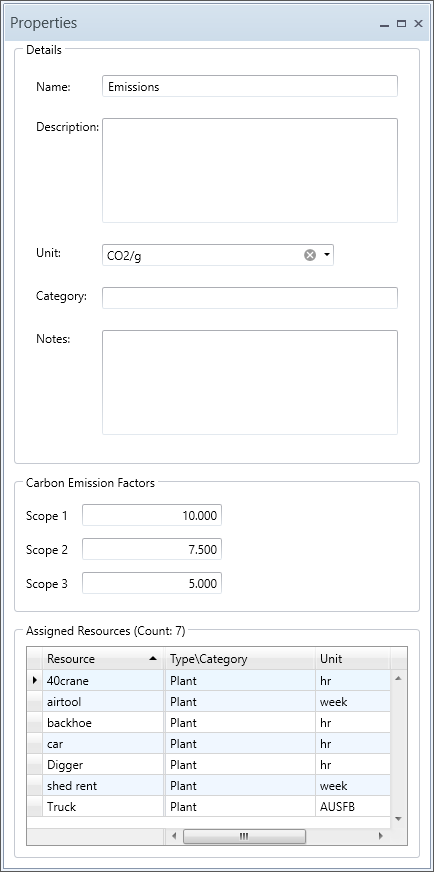
Carbon Emission Profiles - Properties pane
AVAILABLE FIELDS
Numerous Carbon Emission Profile properties can be seen from the Properties pane. Some are read-only and provide summations of multiple selected items. Others are editable, for both single and multiple selected items. These properties include:
- Name
- Description
- Unit
- Category
- Notes
- Carbon Emission Factors
- Assigned Resources