Direct Spread Allocations
Genesis edition only.
The Direct Spread Allocations window provides you with the ability to define the Direct Cost Items that will receive an allocation from a Hidden or Overhead Cost Item.
This window is accessed after selecting a Hidden or Overhead Cost Item in the Spread Allocations window and clicking the Allocations button from the ribbon toolbar.
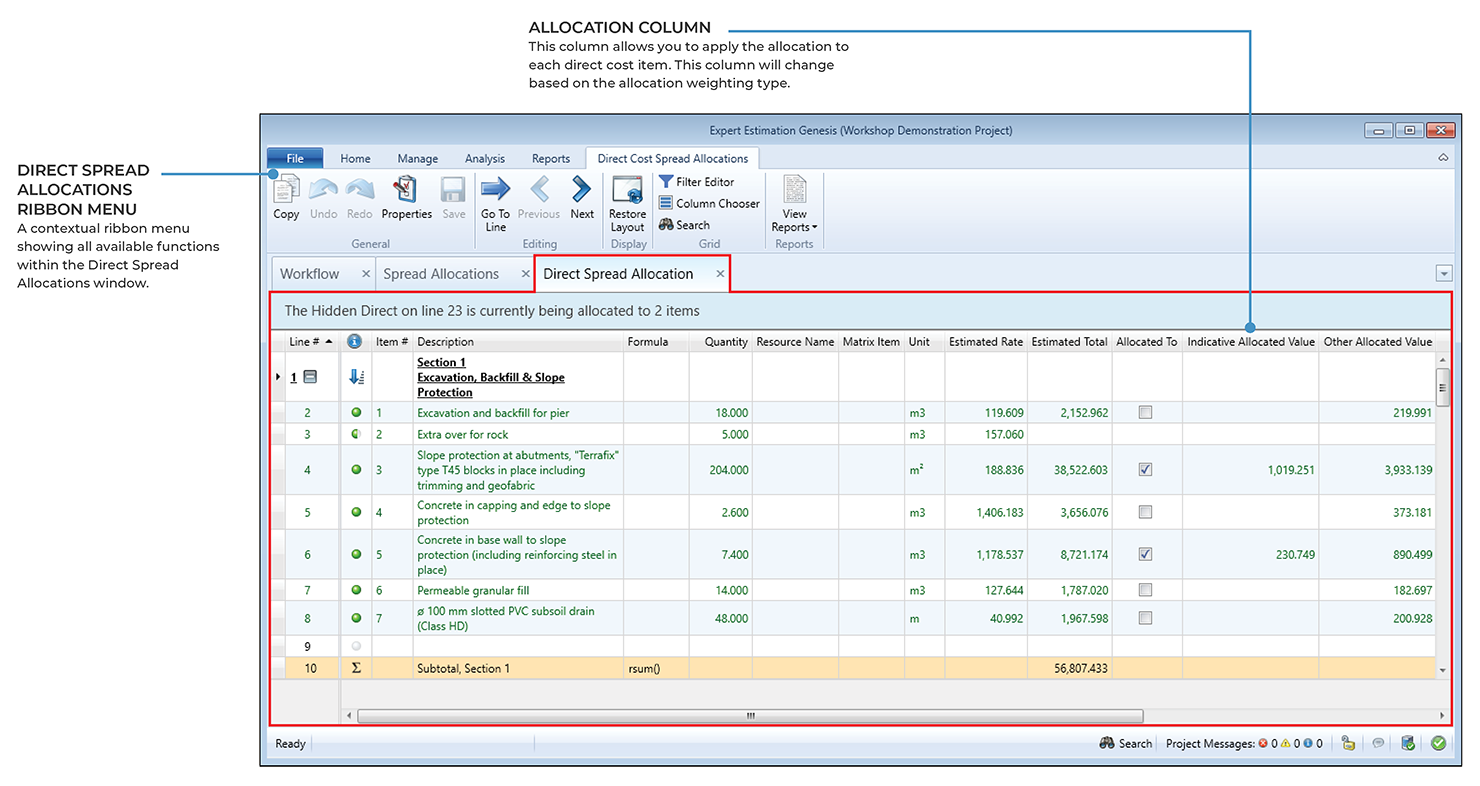
Direct Spread Allocations window
Depending on the Allocation Weighting set for the Hidden or Overhead Cost Item, the Direct Spread Allocations window will show either the Allocated To or Total Percentage Allocated column.
The Allocated To column allows you to tick the checkboxes next to each Direct Cost Item to proportionately spread the value of the Hidden or Overhead item. This column is only available when the weighting of the allocation is set to Item Value.
The Total Percentage allocated column allows you to record a percentage of the Total Allocation that will be spread over each Direct Cost Item. This column is only available when the weighting of the allocation is set to Entered Percentage.
Once the Allocation has been populated the Indicative Allocation Value and the Indicative Total Allocation Value columns will be populated with the allocation amount.
Note: The Direct Spread Allocations window cannot be accessed if two items with different Weightings are selected.