Options - User Details
The User Details section of the Options window allows you to customise information representing yourself on the connected Expert Estimation Server.
Note: In the top right hand corner of this window there is a Reset To Default option which will revert any changes in this window to their default values, this can only be undone by pressing Cancel or re-importing a copy of the desired User Settings through the import button.
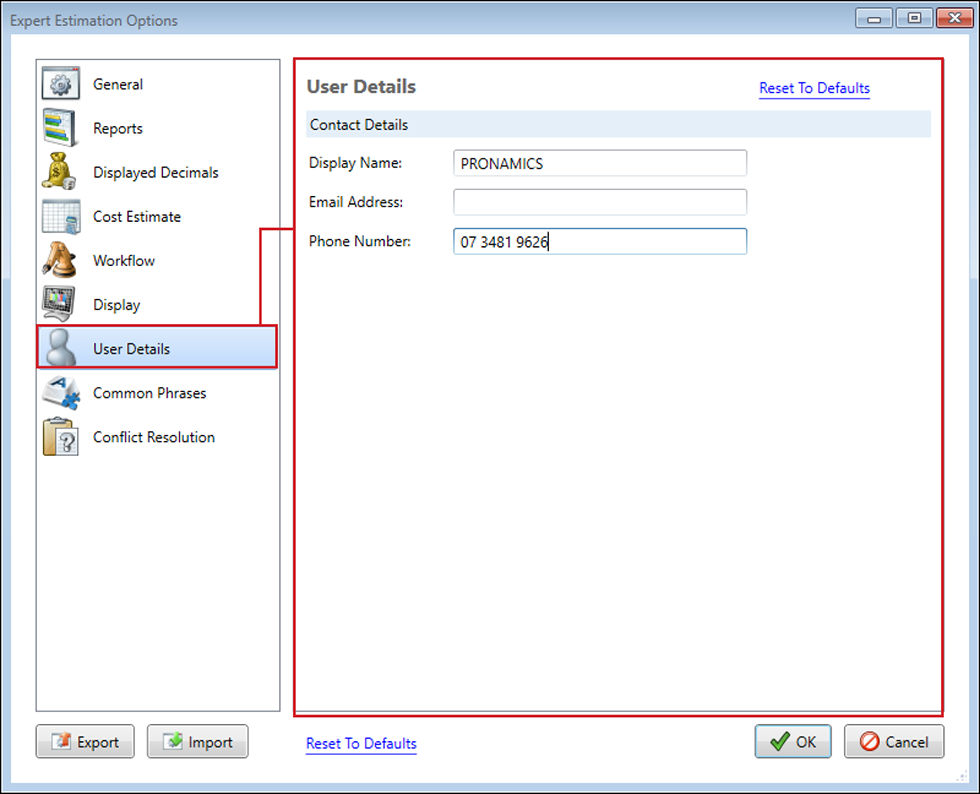
Options window – User Details section
USER DETAILS
|
NAME |
DESCRIPTION |
|---|---|
|
Display Name |
This is the name that will be displayed within the Connected Users window to represent you. This is your windows username by default and can be changed at anytime. |
|
Email Address |
The Email Address is an optional field that allows for an external communication medium for people to reach you on. This is presented within the Connected Users window when a user hovers their cursor over your Display Name. This field, (if configured) will also be used for notifying you of offline chat messages from other users when you are not connected to an Expert Estimation Server. |
|
Phone Number |
The Phone Number is an optional field that allows for an external communication medium for people to reach you on. This is presented within the Connected Users window when a user hovers their cursor over your Display Name. |