SavvyChat
Communication is critical when trying to produce and submit projects quickly and accurately. The SavvyChat pane provides users with the ability to instantly message or share key project information to any other user that is connected to the same server.
This pane can be opened at any time by clicking on the SavvyChat ( ) icon in the bottom right-hand corner of the Status Bar.
The SavvyChat pane will be displayed (by default) to the right-hand side of the window, however, this can be detached and moved around the screen if required.
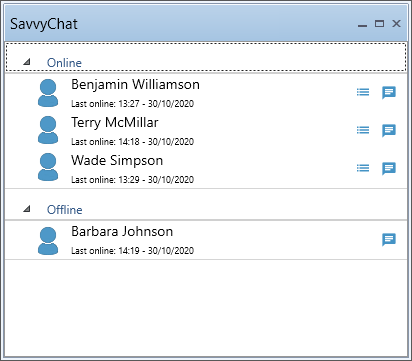
Once the SavvyChat Pane has been opened, a list of connected users will be displayed, separated into Online and Offline Groups. For each user, you have the ability to view the projects that they currently have open as well as starting a direct chat with them.
Note: Your display name for other users can be set using the Options – User Details window. By default the display name will be your current Windows user name.
SavvyChat is not limited to sending text-only messages between users. Information such as Resources can be sent and utilised between users. This information can be added to a chat by simply dragging and dropping the information directly into the chat panel.