The budget performance Window
The Budget Performance window is used to analyse your project’s Cost Code performance at any time during the project. The information provided can be used as the basis for predicting your future performance for each Cost Code in your project.
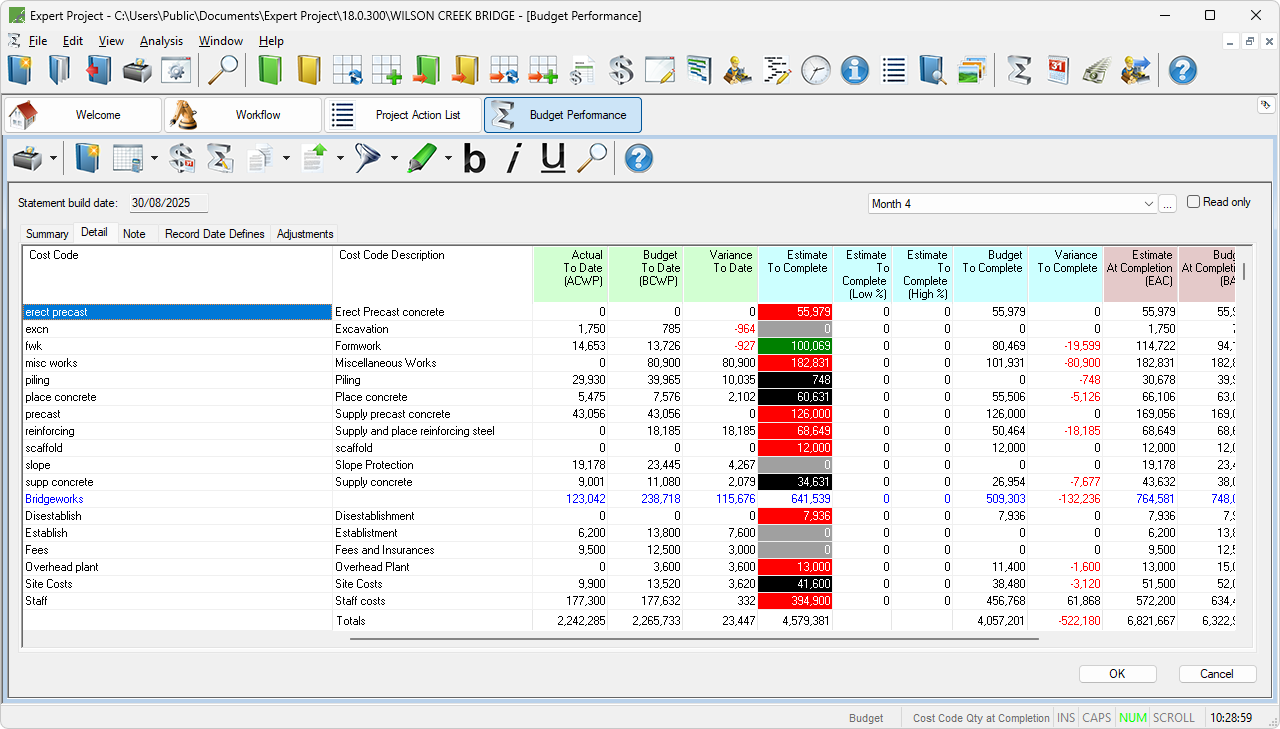
Budget Performance window
The Budget Performance window allows you to:
- Create new Record Dates.
- Analyse the comparison between the Actual/Estimated Costs and Budgets to date, to complete and at completion for a record date.
- Forecast the remaining costs for a Cost Code using different forecasting methods.
- Perform an in-depth analysis of the historic performance for a Cost Code.
- Make Notes for Cost Codes in a record date.
- Formally review the Estimate to Complete for Cost Codes in a record date.
When the Budget Performance window is opened for the first time, the main grid area will need to be formatted in either Item Focus or Cost Code Focus. Item Focus shows a simplified list of columns that can be used when Progress is to be recorded on items while Cost Code Focus shows a list of columns that can be used when Cost Codes themselves are progressed.